
Supplier Hub
Vendor and supplier relationship management.
Meet the agent
This app ships with a production AI agent — permission-aware, tenant-scoped, audit-logged, and governed by the Agent Development Lifecycle.
Supplier Hub Agent
Vendors, RFQ pipeline, performance scorecards — from chat.
Overview
Supplier Hub runs competitive sourcing end to end: issue RFQs, RFPs and RFIs, collect and score vendor quotes side by side, and award a winner on a defensible trail. Invited suppliers sign in to the Vendor Portal with an emailed one-time code and submit their own pricing, questionnaire answers and documents, or your team captures a quote on their behalf — either way it becomes the same record you evaluate, with nothing re-keyed.
Evaluation is committee-ready: define stages, assign evaluators, score each quote against the default weighted criteria, require justification comments, and turn on blind mode to show "Vendor #id" instead of supplier names on the scoring and comparison screens until the award. Reusable RFQ templates and a shared question library mean each event starts from your last one rather than a blank page.
Suppliers carry qualification status, risk and performance scorecards across quality, delivery, price and service, with insurance and licence expiry tracked. The vendor record is shared with Procurement, Contracts and Asset Pro, so an awarded RFQ becomes a requisition or a draft contract without re-entering a line item.
Issue RFQs, RFPs, and RFIs, compare and score vendor quotes side by side, qualify suppliers with three-dimension risk scoring and expiry-tracked insurance, and hand an award off to Procurement or Contracts.
Highlights
Capabilities
Multi-Vendor RFQ, RFP & RFI Sourcing
-
Issue RFQs, RFPs, and RFIs with structured line items (quantity, unit of measure, specs, estimated price)
-
Typed vendor question bank: text, number, yes/no, file upload, and multiple choice
-
Reusable RFQ templates backed by a shared question library
-
Amend an issued RFQ when allowed, with optional vendor re-notification (configurable)
-
Seven-stage lifecycle: draft → issued → accepting questions → quotes due → under evaluation → awarded / cancelled
Quote Capture & Side-by-Side Comparison
-
One quote per invited vendor with per-item unit pricing and line totals
-
Quote-level lead time, payment terms, tax, and shipping
-
Submission-deadline enforcement, with an option to accept late quotes
-
Side-by-side comparison of all quotes, optionally ranked by evaluators' recorded scores
-
Award a winning quote and email every bidder the outcome (configurable)
-
Vendor self-service portal for vendors to submit quotes directly Invited vendors sign in to the Vendor Portal with an emailed one-time code and submit their own pricing, questionnaire answers, and documents. Their submission is the same quote record the buyer evaluates — nothing is re-keyed.
Multi-Stage, Multi-Evaluator Scoring
-
Multi-stage evaluation pipeline (technical, commercial, legal, final)
-
Per-criterion weighted scoring on a default rubric: price, quality, delivery, experience, and support (RFIs drop price)
-
Blind evaluation: "Vendor #id" instead of supplier names on the scoring and comparison screens until the award (configurable)
-
Evaluator assignment with per-assignment progress tracking
-
Minimum-evaluator count and required-comment enforcement (configurable)
Sourcing Controls & Approval Gates
-
Single-vendor justification when only one vendor is invited (configurable)
-
Finance-approval block above a configurable spend threshold
-
Award justification required before selecting a winner (configurable)
-
RFQ authoring, issuing, and awarding restricted to managers and above
-
Confidential competing-bid pricing visible only to managers and app admins
Vendor Qualification, Risk & Scorecards
-
Qualification workflow: pending, approved, rejected, probation, blocked
-
Three-dimension risk scoring (financial, operational, compliance) with a 0–100 overall
-
Insurance and business-license expiry tracking with expiring-soon alerts
-
Diverse-supplier certifications (MBE, WBE, DVBE)
-
Performance scorecards across quality, delivery, price, service, and responsiveness
-
Vendor record shared with Procurement, Asset Pro, and Contracts
-
Vendor product catalog with SKUs, volume price tiers, and lead time
Q&A, Analytics & Procurement / Contract Handoff
-
Vendor Q&A hub — private-to-asker or broadcast-to-all answers, plus internal-only comments
-
Pipeline analytics: issued / awarded / cancelled counts, conversion rate, and time-to-award
-
Savings and cost-avoidance vs estimated and highest quotes
-
Spend by category, top vendors, and vendor participation rate
-
Raise a Procurement requisition from the winning quote on award (configurable)
-
Auto-create a draft Contract in the Contracts app on award (configurable)
-
Read-only Ask AI assistant for vendor, RFQ, and scorecard lookups
Limits & Specs
-
RFQ types: RFQ, RFP, RFI
-
RFQ lifecycle states: Draft, Issued, Accepting Questions, Quotes Due, Under Evaluation, Awarded, Cancelled
-
Quote statuses: Draft, Submitted, Under Review, Accepted, Rejected, Withdrawn
-
Evaluation methods: Weighted Scoring, Lowest Price, Best Value (recorded on the RFQ)
-
Default scoring criteria: Price 30%, Quality 25%, Delivery 20%, Experience 15%, Support 10% (RFIs drop Price)
-
Qualification statuses: Pending, Approved, Rejected, Probation, Blocked
-
Risk dimensions: Financial, Operational, Compliance (0–100 overall)
-
Notification channels: Email, In-app, SMS (urgent alerts only)
-
Analytics export: PDF, CSV, Excel
-
Pricing: License required — part of the Procurement & Spend suite, or licensed on its own per buyer seat
Screenshots
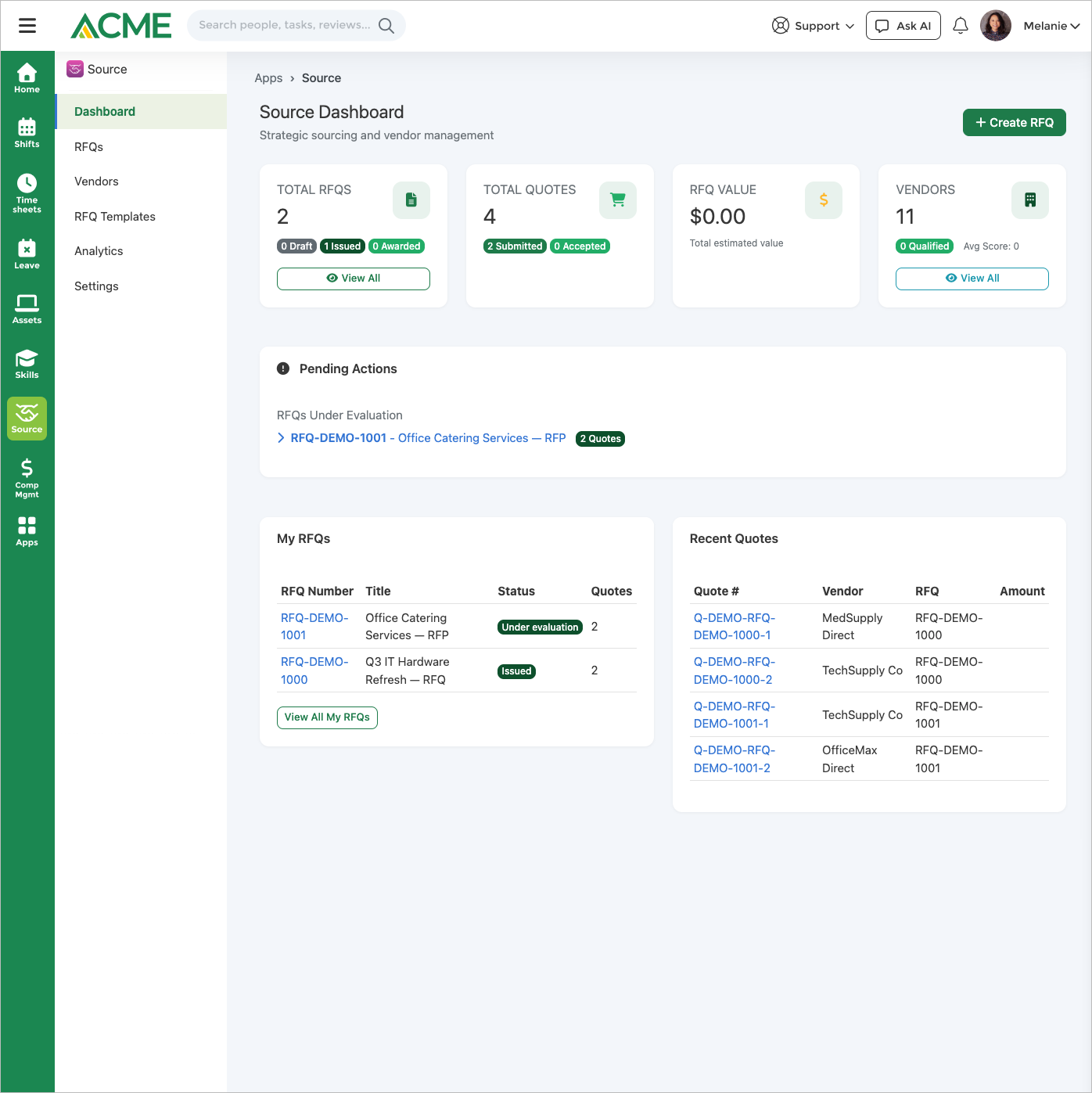
Use cases
Resources
FAQ
Supplier Hub is where you run the competitive sourcing event — issue an RFQ/RFP/RFI, collect and score quotes, and pick a winner. Procurement is where the resulting spend is executed as a requisition or purchase order, and Contracts is where the signed agreement lives as a document. The three apps share one vendor record, so an awarded Supplier Hub RFQ flows into a Procurement requisition and (optionally) a draft Contract without re-keying vendor or line-item data.
Each RFQ can define evaluation stages (technical, commercial, legal, final). Assigned evaluators score each quote against the default weighted criteria — Price 30%, Quality 25%, Delivery Time 20%, Vendor Experience 15%, and Support & Service 10% (an RFI drops Price) — and each quote's completed scores are averaged; with Rank Quotes by Evaluation Score on, Compare orders quotes by that average, otherwise lowest total first. The Evaluation Method is recorded on the RFQ and does not change how Compare ranks quotes. You can require a minimum number of evaluators, require comments, and turn on blind mode to show "Vendor #id" instead of supplier names on the scoring and comparison screens until the award.
Quotes, yes. An invited vendor signs in to the Vendor Portal with an emailed one-time code and submits their own pricing, questionnaire answers, and documents — that submission becomes the same quote record the buyer evaluates, with nothing re-keyed. An internal user can still enter a quote on a vendor's behalf, and the two paths can be mixed within one RFQ. Questions are the exception: vendors can view and respond to a solicitation but cannot raise questions from the portal, so those are still captured internally from the RFQ's Q&A tab. Confidential bid pricing stays restricted to managers and app admins, and an answer can be kept private to the asker or broadcast to all invited vendors for fairness.
You can require single-vendor justification, block issuing an RFQ whose estimated value is above a finance threshold, and require award justification; issuing is always limited to managers and above, plus Supplier Hub app admins. These run as gates at issue/award time rather than a routed submit-for-approval inbox — an RFQ blocked by the finance threshold can be issued once its value drops or an admin raises the threshold.
Yes. Supplier Hub, Procurement, Asset Pro, and Contracts share the same vendor record, so no vendor sync is needed. When an RFQ is awarded, Supplier Hub can raise a Procurement requisition from the winning quote (when the Procurement app is enabled and the setting is on) and — if the Contracts app is enabled — auto-create a draft Contract, carrying the line items across. RFIs are information-only and are never converted into a contract.
Yes. Save any RFQ as a reusable template — including its line items and questions — and spin up new solicitations from it. A shared question library lets you search, reuse, and track popular questions across RFQs, and every RFQ's evaluators score against the same default criteria, so committees evaluate consistently.
The Supplier Hub Ask AI assistant is read-only. It looks up vendors, RFQs, quotes, and vendor performance and answers questions about them — for example "how many preferred suppliers do we have" or "which RFQs are under evaluation." It does not create, issue, or award RFQs; those actions stay in the buyer's hands in the app UI.
Yes, as PDF, CSV or Excel. The export carries three sections: Overview (RFQ counts, quotes received, average quotes per RFQ, conversion rate, average time to award, active vendors), Financial Performance (total RFQ value, awarded value, average savings), and Top Vendors by Awards. Spend by category is shown on the dashboard itself rather than in the export file.
Qualification and risk scores, insurance/license expiry, diverse-supplier certifications, performance scorecards across quality/delivery/price/service/responsiveness, a product catalog with volume pricing, and full quote history — giving each supplier a complete profile that feeds analytics and future awards.